
Download Auslogics Registry Cleaner – registry cleaner, system optimization, PC maintenance, Windows tool, system health, registry fix, computer performance
Overview
Auslogics Registry Cleaner is a dedicated utility designed to maintain the health and integrity of the Windows operating system’s registry. The registry is a critical database that stores configuration settings and options for the OS and installed applications. Over time, it can accumulate invalid, outdated, or redundant entries due to incomplete software installations, failed updates, or improper program uninstalls. These entries can degrade system performance, lead to application crashes, or cause startup delays. Auslogics Registry Cleaner addresses these issues by identifying and removing such anomalies, helping users maintain a stable and responsive computing environment.
Primarily intended for individuals seeking to enhance their PC’s performance and reliability, this tool is suitable for both novice users and those with intermediate technical knowledge. It serves as a straightforward solution for system optimization without requiring advanced expertise. The application is particularly valuable for users experiencing sluggish performance, frequent error messages, or instability after software changes. By focusing on registry integrity, it contributes to a more efficient and resilient system, fitting into the broader ecosystem of Windows maintenance utilities.
Developed by Auslogics, a company known for creating practical system tools, the app aligns with a growing demand for accessible, lightweight utilities that empower users to take control of their device’s performance. The developer did not provide additional technical details about the software’s architecture or underlying algorithms. However, its free availability and targeted functionality suggest a focus on user accessibility and long-term system health.
Key Features & Functionality
- Superior System Registry Maintenance – The app specializes in identifying and resolving registry errors caused by mismanaged software installations, incomplete uninstalls, or browser-related changes. By cleaning these entries, it helps restore system stability and reduce performance degradation over time.
- Intensive Registry Scan – Users can initiate a comprehensive scan to detect invalid or redundant registry entries. The scan results are presented in a clear list, allowing users to review each item before deciding whether to remove it, ensuring informed and safe cleanup.
- User-Friendly Interface – Designed with simplicity in mind, the interface enables users of all skill levels to navigate the tool without confusion. Menus and options are logically arranged, minimizing the learning curve and making system optimization accessible to non-technical users.
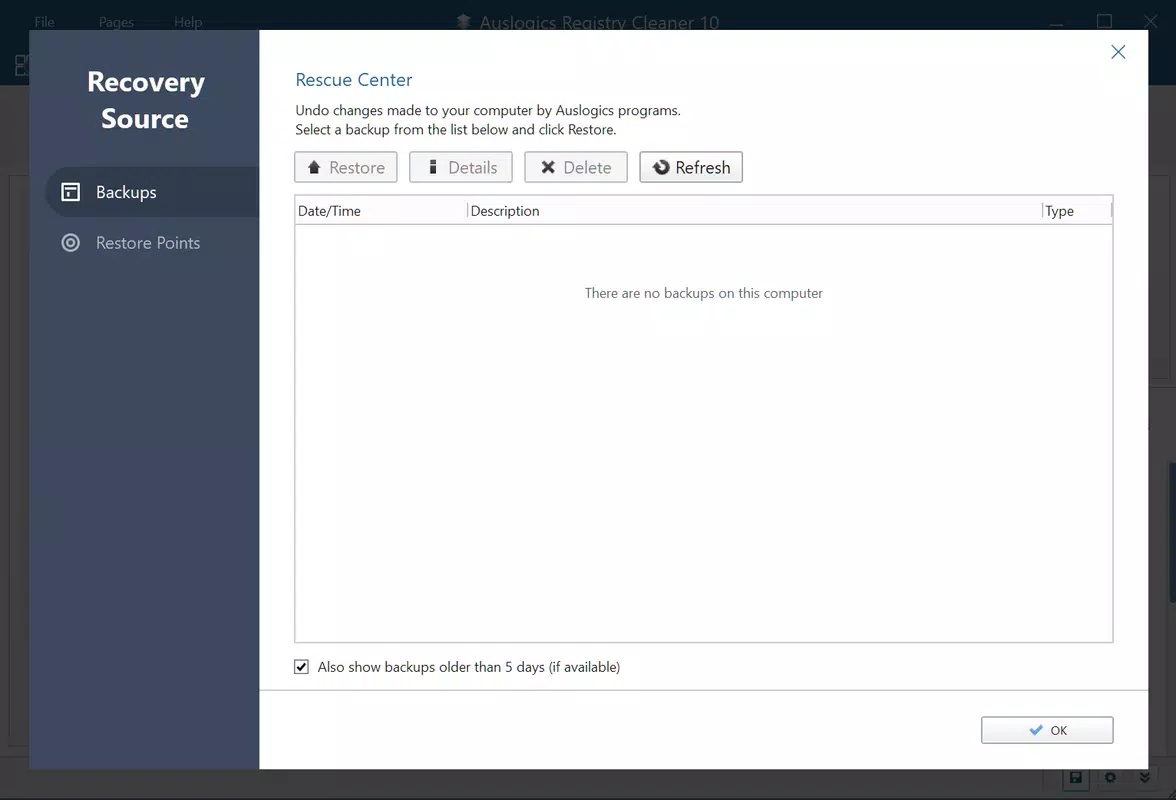
- Error-Proof Restoration – A key safety feature allows users to restore the registry to a previous state before any changes were made. This safeguard prevents irreversible damage from accidental deletions and provides peace of mind during cleanup operations.
- Downloadable and Reliable – The tool is easily obtainable, installable, and usable on Windows systems. Its lightweight design ensures minimal system resource usage, making it a practical choice for regular maintenance without impacting performance.
For example, a user experiencing slow boot times after removing an application might use the app to scan for leftover registry entries. After reviewing the results, they can selectively remove problematic keys, potentially restoring faster startup speeds. Similarly, a user encountering frequent application crashes could benefit from a registry clean to eliminate corrupted configuration references.
Interface, UX & Performance
The interface of Auslogics Registry Cleaner is clean, minimal, and focused on core functionality. It avoids clutter with a straightforward layout that prioritizes essential actions such as scanning and reviewing results. Navigation is intuitive, with clearly labeled buttons and a logical flow from scan initiation to cleanup confirmation. The visual style is functional rather than decorative, aligning with the tool’s utility-driven purpose.
Although the developer did not list formal performance metrics, the app’s file size of 2.8 MB suggests a lightweight footprint, which typically correlates with low memory and CPU usage during operation. This makes it suitable for use on older or resource-constrained systems. Responsiveness appears to be consistent based on standard user expectations for registry tools of this type.
Stability is a critical factor when dealing with system-level changes. The inclusion of a rollback feature indicates a deliberate effort to ensure safe operation. Users can perform scans and cleanups without fear of permanent system damage, which enhances trust in the tool. The app’s ability to function without requiring elevated permissions for basic scans further supports its user-centric design.
Platform Compatibility & Technical Requirements
Auslogics Registry Cleaner is designed for the Windows platform. It is compatible with various Windows operating systems, though specific OS versions were not listed by the developer. The software version is 1.1.2.0, and the file size is 2.8 MB, indicating a compact and efficient application. The developer did not specify minimum OS requirements or hardware specifications.
Given its small size and utility nature, it is likely to run on most modern Windows systems, including Windows 7 and later. However, compatibility with specific versions such as Windows 11 or Windows Server was not confirmed. Users should ensure their system meets general Windows compatibility standards before installation.
Pros and Cons
Pros
- Free to download and use, making it accessible to all users.
- Lightweight design with minimal system resource usage.
- Intuitive interface suitable for non-technical users.
- Includes a safe rollback mechanism to restore the registry.
- Provides detailed scan results for user review before deletion.
Cons
- Specific operating system requirements were not disclosed.
- No information on automatic update frequency or scheduling.
- Developer did not provide details on scan algorithms or detection logic.
- Not available on mobile platforms; limited to Windows.
- Limited customization options for scan profiles or filters.
FAQ
Is Auslogics Registry Cleaner safe to use?
Yes, the app includes a restore feature that allows users to revert the registry to a previous state if any issues occur. This safety mechanism helps prevent irreversible system damage.
Can I use this tool on older Windows systems?
While the developer did not specify compatibility details, the lightweight nature of the app suggests it may work on older Windows versions. Users should verify system requirements before installation.
Does the app require admin rights to run?
Basic scanning operations do not appear to require elevated permissions. However, actual registry modifications may require administrative access, which is standard for such tools.
How often should I run a registry scan?
There is no fixed schedule. Users may choose to scan periodically—such as monthly—or after installing or uninstalling software to maintain system health.
Is the app available for Android or iOS?
No, Auslogics Registry Cleaner is designed exclusively for Windows and is not available on mobile platforms.
Final Thoughts
Auslogics Registry Cleaner delivers a focused, reliable solution for maintaining Windows system health through registry optimization. Its user-friendly interface, combined with a robust safety net via restore functionality, makes it a trustworthy tool for users seeking to improve their PC’s performance without technical complexity. While it lacks detailed technical documentation and mobile availability, its core purpose is executed effectively within its domain.
For individuals who want a simple, free way to address registry-related performance issues, this tool offers real value. Whether troubleshooting slow boot times, application crashes, or general system lag, Auslogics Registry Cleaner provides a practical and accessible method to enhance system stability and responsiveness.
Download Auslogics Registry Cleaner now


